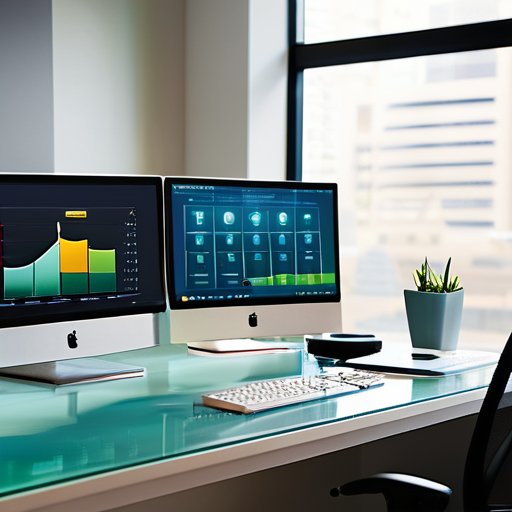


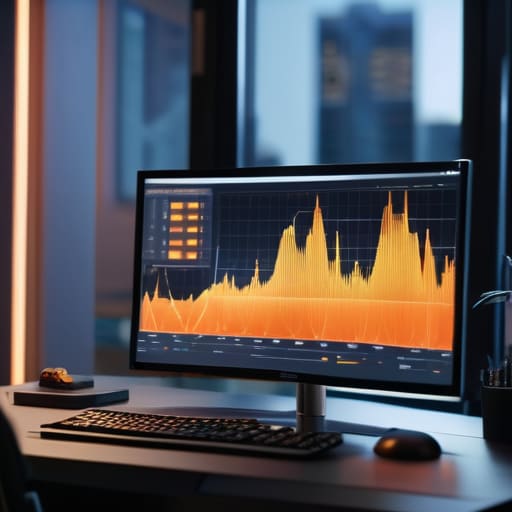
I’m so sick of seeing “productivity gurus” peddle these bloated, expensive dashboards that promise to revolutionize your output but actually just give you more useless noise to manage. Most of these tools claim to track performance, but they completely miss the point by focusing on superficial activity instead of actual substance. If you aren’t looking at High-Fidelity Work Session Metrics, you aren’t actually measuring work; you’re just measuring how much time people spend moving their mice around. It’s all performative data, and frankly, it’s a massive waste of everyone’s time.
I’m not here to sell you on another shiny piece of software or a complicated framework that requires a PhD to interpret. Instead, I’m going to show you the exact, unvarnished way I use High-Fidelity Work Session Metrics to cut through the fluff and identify what is actually driving progress. We are going to skip the corporate jargon and get straight into the real-world application of these metrics so you can stop guessing and start seeing how your team actually functions.
Table of Contents
Decoding Flow State Tracking and Cognitive Load Measurement
Most productivity trackers tell you when you were working, but they rarely tell you how you were working. This is where the distinction between mere activity and true cognitive engagement becomes vital. By integrating flow state tracking into your data, you move past simple timestamps and start seeing the actual rhythms of high-level focus. It isn’t just about the hours logged; it’s about identifying those rare, uninterrupted windows where complex problem-solving actually happens.
However, tracking focus is only half the battle. To get a complete picture, you have to account for the mental tax being paid. This is where cognitive load measurement comes into play. If you’re bouncing between a deep coding task and a frantic Slack thread, your metrics might show you’re “active,” but they won’t show the massive attention residue dragging down your performance. You need to understand the friction between tasks to see why a six-hour workday sometimes yields less than two hours of meaningful progress. Mapping these mental shifts allows you to build a schedule that protects your brain rather than just filling your calendar.
The Precision of Work Session Granularity
Most productivity tracking fails because it’s too blunt. It treats a four-hour block of time as a single, monolithic unit, assuming that if you were “at your desk,” you were being productive. But we know that’s rarely the truth. To get a real picture, you have to zoom in. This is where work session granularity becomes the deciding factor between useful data and mere noise. If you aren’t looking at the micro-shifts in how time is actually spent, you’re just guessing.
Of course, getting this level of granularity requires more than just better software; it requires a fundamental shift in how you view your downtime and mental recovery. If you’re constantly pushing for peak cognitive output without intentional breaks, you’re going to hit a wall of diminishing returns very quickly. Sometimes, the best way to reset that mental tension is to step completely away from the professional grind and embrace something more visceral and spontaneous. For those looking to decompress and find a different kind of connection outside of the office, exploring casual sex manchester can be a way to effectively disconnect from the analytical loop and just be present in the moment. It’s about finding that essential balance between high-intensity focus and the unfiltered experiences that keep you human.
Instead of measuring broad hours, we need to look at the specific intervals where focus actually lives or dies. By breaking sessions down into smaller, measurable segments, you can start to spot patterns that a standard calendar simply misses. For instance, you can begin to identify attention residue analysis—that lingering mental fog that happens when you jump between tasks too quickly. When you increase the resolution of your data, you stop managing by the clock and start managing by the actual quality of the focus being applied.
Stop Guessing and Start Measuring: 5 Ways to Get Real Data
- Stop relying on “time spent in app” as a proxy for work. A developer might spend four hours in an IDE, but if they were just staring at a bug without making progress, that’s not productivity—it’s friction. You need metrics that capture active output, not just active windows.
- Look for the “context switching tax.” High-fidelity metrics should show you how often a person jumps between deep work and shallow tasks. If your team is bouncing between Slack and their primary workspace every six minutes, your “productivity” numbers are lying to you.
- Prioritize qualitative signals over raw volume. It’s easy to track how many lines of code were written or emails sent, but that’s low-signal data. The real gold is in tracking the duration of uninterrupted blocks, which tells you much more about the actual quality of the work session.
- Watch the “recovery gap.” High-fidelity tracking isn’t just about the work; it’s about the cooldown. If your metrics show back-to-back high-cognitive-load sessions with zero buffer time, you aren’t looking at a high-performing team—you’re looking at a team headed straight for burnout.
- Map your metrics to energy, not just time. A session at 9:00 AM is fundamentally different from a session at 4:00 PM. If you aren’t layering time-of-day data over your cognitive load metrics, you’re missing the context that explains why certain tasks take twice as long in the afternoon.
The Bottom Line: What to Actually Track
Stop obsessing over total hours clocked; focus instead on the quality of focus by measuring cognitive load and how often your team actually hits a true flow state.
Granularity is your best friend—broad time blocks hide the truth, so you need to zoom in on the specific micro-sessions where the real work happens.
Use these metrics to build better workflows, not to micromanage; the goal is to identify friction points in the day so your team can work smarter, not longer.
The Death of the Time-Sheet
“Stop treating productivity like a game of counting hours; if you aren’t measuring the actual cognitive intensity of a session, you’re just tracking how long people sat in their chairs, not how much work they actually moved forward.”
Writer
Moving Beyond the Surface Level
At the end of the day, high-fidelity metrics aren’t just about collecting more data points for the sake of a dashboard. We’ve looked at how tracking flow states and managing cognitive load can fundamentally change your understanding of output, and how shifting your focus toward granular session data prevents the trap of superficial productivity tracking. If you keep relying on broad, vague indicators of “busy-ness,” you’ll never truly grasp the nuanced reality of how deep work actually happens. Transitioning to these high-resolution metrics is the only way to stop guessing and start building a workflow that respects the actual mechanics of human concentration.
Implementing this level of precision might feel daunting at first, but the clarity it provides is worth the initial friction. We are moving away from an era of “hours logged” and stepping into an era of intentional cognitive management. Don’t just aim to work more; aim to work with a level of awareness that turns every session into a masterclass in focus. Once you start seeing the invisible patterns in your mental energy, you won’t just be more productive—you’ll be completely in control of your most valuable asset: your attention.
Frequently Asked Questions
How do you actually balance granular tracking without turning it into a tool for micromanagement?
The secret is shifting the focus from monitoring people to monitoring processes. If you use these metrics to hover over someone’s shoulder, you’ve already lost. Instead, frame the data as a tool for the individual. Use granularity to help your team identify their own “deep work” windows or to spot when cognitive load is redlining. When the data serves the worker’s autonomy rather than the manager’s control, it stops feeling like surveillance.
What kind of software stack do I need to start collecting this level of high-fidelity data?
You don’t need a massive enterprise suite to start, but you do need tools that talk to each other. Forget basic time-trackers; you need a stack that captures context. Start with something like RescueTime or Rize for automated activity logging, pair it with a deep-work timer that integrates with your calendar, and use a lightweight telemetry tool or custom API hooks if you’re tracking specific application-level interactions. It’s about layering data, not just collecting it.
At what point does measuring cognitive load become a distraction in itself rather than a productivity booster?
It becomes a distraction the second you start optimizing for the metric instead of the work. If you’re pausing your flow to log your mental fatigue or spending more time tweaking your tracking dashboard than actually solving problems, you’ve crossed the line. Measurement should be a silent observer in the background. The moment the “data collection” starts feeling like a chore on your to-do list, it’s no longer a tool—it’s just more noise.